This is just a quick little blog article to help explain away some of the confusion that can come with making changes to your eCommerce Store while your program is still in development
The gist of it is, The eCommerce Store settings are explicitly tied to the currently live website version, So if you have a seperate website version that is being worked on behind the scenes, and then make changes to your eCommerce Store, and then later make this other website version live, You may notice that some of the changes you made to the store are lost
The settings affected by this would be
Shipping Provider, Currency Code, Selected Points Buckets, MVEL Reason, Inventory Locations, Use Inventory Control, Cash Divisor, Minimum Prices, SEO Settings, Data Series, Order ID Template
Below is an example of this happening
Example 1
Here we have my Store in the Current Live Version

I will now copy that to Version3
And then I will make changes to my store and then publish version3
This is what I have in my Live Version right now

Now if I publish version3 and then go back to my eCommerce store this is what we have
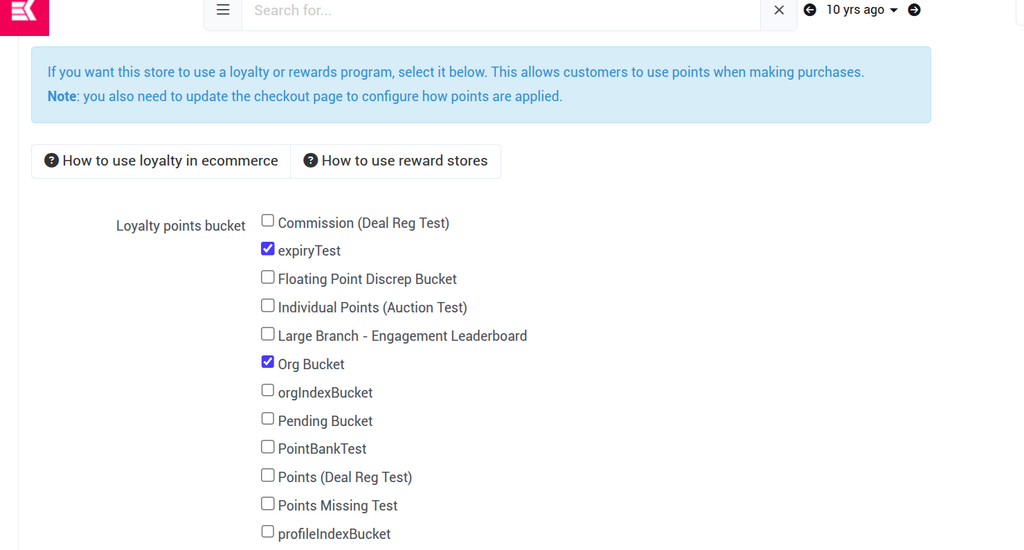
As you can see above, The changes we made before we Published Version3 are now lost, And the store reverted back to what was there when we made the website version
Now. I will make changes in this version3 AND then copy it to version4

This is what I have in my version3 (above)
Now I will make version4 and publish it live
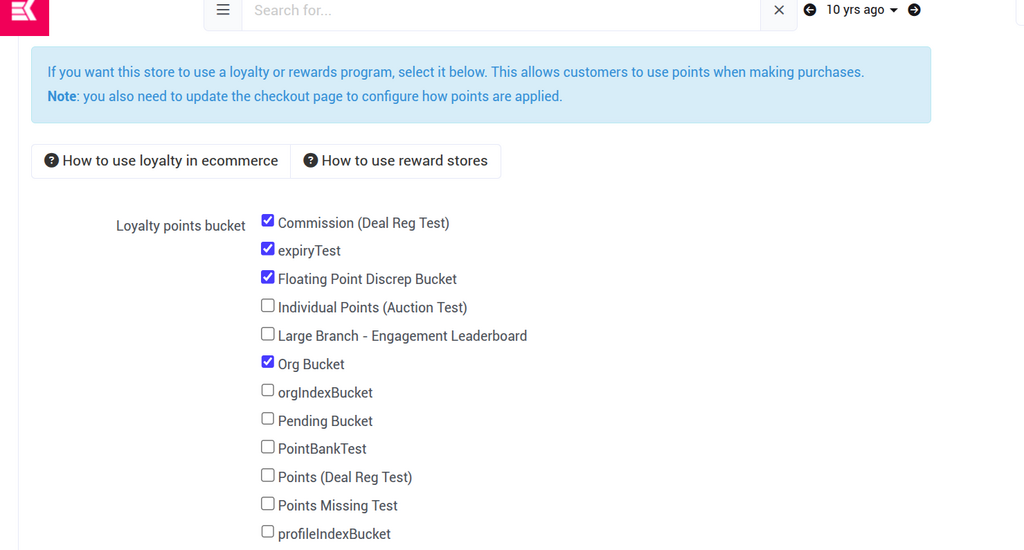
As you can see above, In our version4 of the website that we just published live, The store settings were retained because we made changes before creating a new website version
the TLDR of this is that you should make sure to make all your store changes before moving onto the next website version, Or otherwise make your store changes after you have finished working on the new version and have already published it live